Watch Git Will Finally Make Sense After This for an explanation of how git works. The guide below is for useful commands.
Guide to Git
This guide goes over the most important commands, see a full manual here
Add your GitHub account to PHGameStudio organization
- Share git username in group chat
- Confirm entering organization from email message
Setup git CLI
- Go to GitHub → profile pic → settings → developer settings → personal access tokens → tokens (classic)
- Generate new token (classic)
- No expiration date
- Select scope write: packages
-
Copy token (and save it somewhere if you don’t have clipboard manager)
git config --global credential.helper storeto store account and passwordgit config --global user.email "email.name@email.com"git config --global user.name "github-username"- Clone/push a private repo using https connection and paste token
Setup GitHub CLI
Installation
- Windows:
winget install --id GitHub.cli - Mac OS:
brew install gh - Linux: use your package manager or same as Mac OS
Authentication
gh auth loginto authenticate with your GitHub account- Select
GitHub.com - Select
HTTPSfor preferred protocol - Select
Yesto authenticate Git with your GitHub credentials - Select
Login with a web browserand follow instructions
- Select
gh auth setup-gitto configure git to use your GitHub CLI credentials (replaces the need for manual PAT setup)
Important commands
Cloning a repository
git clone https://github.com/owner-name/existing-repo.gitgh clone owner-name/existing-repo- Only works for repos on GitHub
gh repo fork owner-name/existing-repoto fork a repository and clone it locallygh browseto open the current repository in your web browser
Creating a repository
git initgit add file-1 file-2 dirgit branch -m maingit commit -am "commit message title" -m "commit message body"git remote add origin https://github.com/PHGameStudio/new-repo.gitgit push -u origin main- The last 2 lines can also be replaced with
gh repo createand choosing “push an existing repository to GitHub” in the interactive repo creation menu
Managing versions
git ls-filesto list tracked files under the working directorygit config --global alias.tree 'log --graph --oneline --all --decorate'git treeto see a version tree
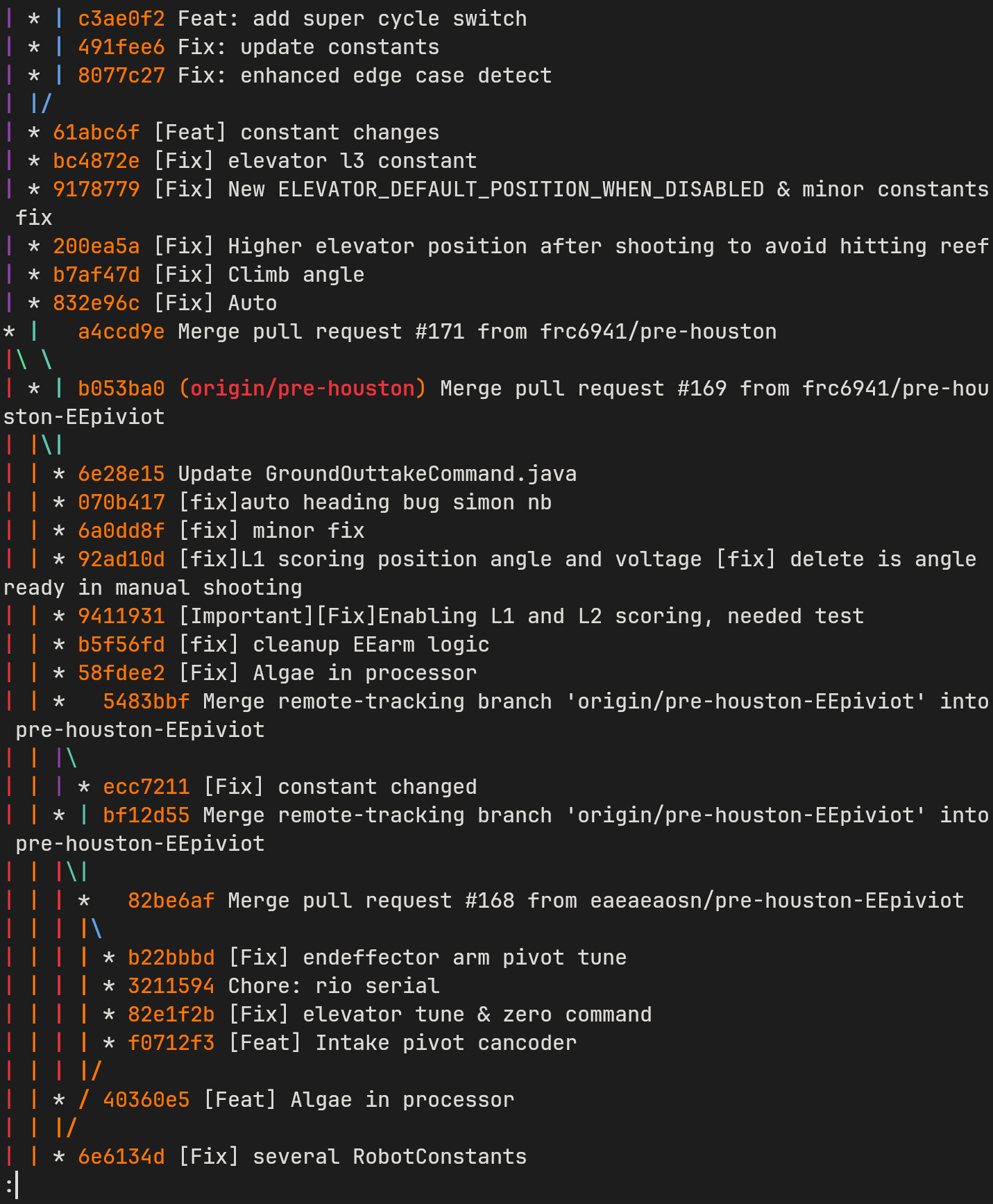
Linear versions
- Commit hash is the string shown before command message in the tree
HEADcan replace hash for representing current version- Use
HEAD~for the version beforeHEAD
git checkout <commit-hash>to view a commit (can’t commit without checking out to newest)git checkout <commit-hash> -- .to do an “edit” that restores everything to a commit, can still commit afterwards and the commit will be after the commit before checkoutgit diff <commit-hash-1> <commit-hash-2>to see files changed between commits (commit-hash-2 is current version (HEAD) if blank)
Nonlinear versions - branches
git branchto view name of all branchesgit checkout branch-nameto checkout newest version in a branchgit checkout -b feature-branchto create a new branch and switch to itgit checkout main,git merge featureto merge branchfeatureintomain- Make sure you commit all changes before checking out
main - Some files may need to be resolved manually
- Make sure you commit all changes before checking out
git cherry-pick <commit-hash>apply what changed in a specific commit to your current version (also may need manual resolution)- *Cherry-pick a range of commits:
git cherry-pick <oldest-commit>^..<newest-commit>
- *Cherry-pick a range of commits:
Working with remotes
git fetchto fetch new commits on the remote, without changing current local versiongit pull: fetch and merge- May require manual conflict resolution, like when merging 2 local branches
git push -u origin main: set origin/main as default remote and push local to remote. After this usegit pushto push tomain, andgit push origin feature-branchto push to a different branch
Managing Pull Requests (PRs)
gh repo set-defaultto set the base repository for PRs and issues (useful in forks)gh pr createto create a PR for your current branch- It will ask which repository to push to and which to use as the base
gh pr listto see all open PRsgh pr checkout <pr-number>to checkout a PR locallygh pr mergeto merge the current PR (interactive)gh pr view --webto see the PR in your browser
Managing Issues
gh issue listto see all open issuesgh issue createto create a new issue (interactive)gh issue view <issue-number> --webto see the issue in your browsergh issue close <issue-number>to close an issue